My Server Name
ruststatistics.org · independent, not affiliated with Facepunch Studios
Offline · checked 7h ago · 88.83.201.202:28015
Abstract
We describe the public Rust server My Server Name, reached at 88.83.201.202:28015. It is offline at the last check, against a seven-day mean of 1 and a peak of 21. It ranks #6,280 of all servers, the top 28%. It last wiped 6d ago.
Keywordsrust server
1Summary statistics
2Population
Figure 1 follows the players on the server at three scales: every five minutes over two hours, the hourly mean and peak over 48 hours, and the daily mean and peak over 90 days. Dashed uprights mark its wipes.
3Performance
We query the server directly for its frame rate, entity count and memory4. Low frames per second and a climbing entity count are what players feel as lag (Figure 2).
4Rank
The server stands in the top 28% of all ranked servers. Rank is on player hours over the last seven days, and 1 is best; Figure 3 draws it day by day.
5Wipes
5.1Schedule: too few wipes seen yet
Not enough wipes seen yet to tell when the next one is. Every server wipes at the monthly force wipe.
| Measure | Value | Note |
|---|---|---|
| Usual gap | 3 days | between real wipes |
| Wipe-day peak | 1 | players, last three wipes |
| Crowd held | 0% | else halves by day 2 |
5.2History
| Wiped (UTC) | Peak | Crowd | Lasted | Before |
|---|---|---|---|---|
| Sun 25 Oct, 11:013d ago | 1 | – | running | 1 |
| Thu 22 Oct, 10:356d ago | 1 | halved by day 2 | 3 d | 0 |
Peak: the most players in the first 48 hours. Crowd: whether every day of the wipe kept at least half that peak, or the day it fell below. Before: players just before it wiped. A new world less than six hours after a wipe is a restart, not a wipe of its own.
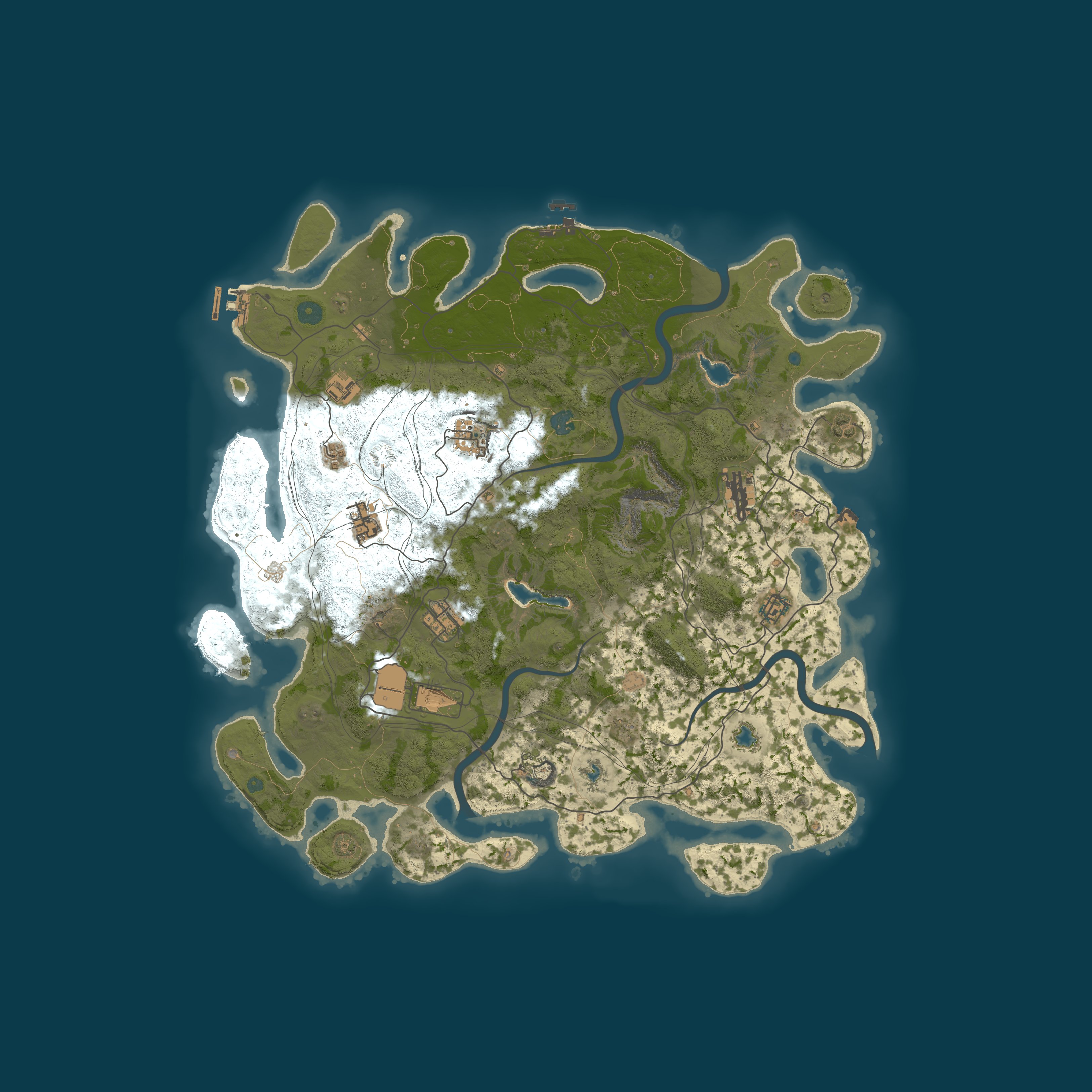
6Map and settings
| Address | 88.83.201.202:28015 |
|---|---|
| Region | – |
| Max players | 500 |
| Group limit | 8, the default |
| Wipe schedule | – |
| Last wipe | 22 Oct 2026, 08:40 UTC |
| Hostname | – |
| First seen | 22 Oct 2026 |
| Map | Procedural Map |
| Size | 4500 |
| Seed | 1234567 |
7Similar servers
Servers of the same kind of game, then region, group limit, rate and wipes. The lists this server belongs to are rust community servers listed [2] and next Rust wipe times [3].
| Server | Players |
|---|---|
| Rusty Moose |EU Mondays|EU · groups of 12+ · weekly · 553 on average | 548/675 |
| Rustoria.co - EU East LongEU · groups of 12+ · monthly · 318 on average | 357/525 |
| Rusty Moose |EU Main|EU · groups of 12+ · weekly · 297 on average | 44/250 |
| Rustoria.co - EU MainEU · groups of 16+ · weekly · 296 on average | 37/250 |
| Rustafied.com - EU FridayEU · groups of 16+ · weekly · 272 on average | 118/200 |
| Rustoria.co - EU East MediumEU · groups of 12+ · biweekly · 253 on average | 128/300 |
Appendix AQuick answers
From the figures on this page.
About the server
A.1Does My Server Name perform well?
Over the past 48 hours, it ran at an average of 144 server fps, with a low of 114. Buildings, deployables and all other world objects counted together reached a maximum of 121,598 entities. Memory use peaked at 2,410 MB. Lag, as players feel it, results from low fps combined with an increasing entity count.
A.2What is the location of My Server Name?
There is no region published for My Server Name. Rust Statistics does not look up the machine's location; it shows where the server says it is. You will find it at 88.83.201.202:28015.
A.3What is the reliability of My Server Name, and is it online?
Right now, My Server Name is offline, and the last time it was seen was 7 hours ago. The uptime it reports indicates a restart about 1 hours ago. The server was up 22% of the time over the last 5 full days, 26 of 120 hours. It was first observed on 22 October 2026 by Rust Statistics.
A.4What is the Rust version for My Server Name?
Rust network protocol 2635 and build 168909 is the version that My Server Name runs, on Windows. Steam updates your game for you, but you must be on the same protocol to join.
Wipe timing
A.5When are wipes carried out on My Server Name?
The record of My Server Name's wipes is not yet sufficient to establish its rhythm. Thursday 5 November at 19:00 UTC is the date of the next monthly force wipe, when every Rust server is wiped. 6 days 12 hours have passed since the current world was generated.
A.6What characterises wipe day on My Server Name?
The average busiest point of recent wipes was 1 players. The crowd reached its maximum 0 hours after the latest wipe. For 0% of recent wipes, the population did not fall below half the peak before the next wipe. If not, the population dropped below half by day 2.
Player count
A.7How does My Server Name compare with other Rust servers in the rankings?
The seven-day player-hours ranking puts My Server Name at #6,280, within the top 28% of ranked servers.
A.8What is the population level of My Server Name?
The last recorded sighting of My Server Name was 7 hours ago; it is offline now. Averaged over the last seven days: 1 players; the same period peaks at 2. Of the last 48 hours, the peak hour falls at 12:00 UTC, with an average of 2 players.
Tags and filters
A.9How should the tags on My Server Name be interpreted?
The game's server browser reads gmrust (Game mode): Rust survival, in its standard form; mp500 (Max players): It offers 500 slots; ts8 (Group limit): 8 per team, the value the game sets by default; v2635 (Protocol): The game protocol is 2635; your client must match it to join; cs168909 (Build): This server runs game build 168909; ptrak (Networking): Networking runs on RakNet, the game's standard layer; $r? (Region code): A region code has not been set, which My Server Name publishes as its tags. Current players, queue and the world's creation time are among the tags as well, displayed at the top of this page.
A.10Where can My Server Name be found among the Rust Statistics lists and filters?
The Rust Statistics lists that My Server Name fits are: Rust community servers, measured. You will find it on the server list filtered by: Type: Community (not modded, not official) and No plugins at all; Group limit: 5 or more; Last wipe: In the last week.
Settings and map
A.11Which settings and rules are in force on My Server Name?
Its name carries no gather rate for My Server Name. No cap is given beyond the game's default of 8 players per group. Listed as survival, the game mode is gather, build and raid: the standard game. Fighting and raiding between players are both permitted. The server browser lists it under Community. VAC is active: that is Valve's anti-cheat.
A.12What is the map for My Server Name?
Generated by the game from seed 1234567, the procedural map on My Server Name measures 4,500. Size and seed being equal, the map is the same, so it can be viewed on RustMaps from this page.
Connection
A.13How do you connect to My Server Name?
Press F1 inside Rust to open the console and enter client.connect 88.83.201.202:28015. Alternatively, the Launch Rust and join control on this page launches the game via Steam and completes the connection.
Appendix BServer tags
What each of the server's tags means. Published as mp500,ptrak,$r?,v2635,gmrust,cs168909,ts8.
| Tag | Meaning |
|---|---|
| Game | |
gmrust | Game mode. Rust survival, in its standard form. |
mp500 | Max players. It offers 500 slots. |
ts8 | Group limit. 8 per team, the value the game sets by default. |
v2635 | Protocol. The game protocol is 2635; your client must match it to join. |
cs168909 | Build. This server runs game build 168909. |
ptrak | Networking. Networking runs on RakNet, the game's standard layer. |
$r? | Region code. A region code has not been set. |
Players now (cp), the queue (qp) and the wipe time (born) are in the tag string too; they change every few minutes and are shown at the top of the page. Flag meanings are Facepunch's.
References
- [1]Rust Statistics. The Rust server list. ruststatistics.org/rust-server-directory.
- [2]Rust Statistics. Rust community servers listed. ruststatistics.org/top-rust-community-servers.
- [3]Rust Statistics. Next Rust wipe times. ruststatistics.org/rust-servers-wiping-today-list.